Idea
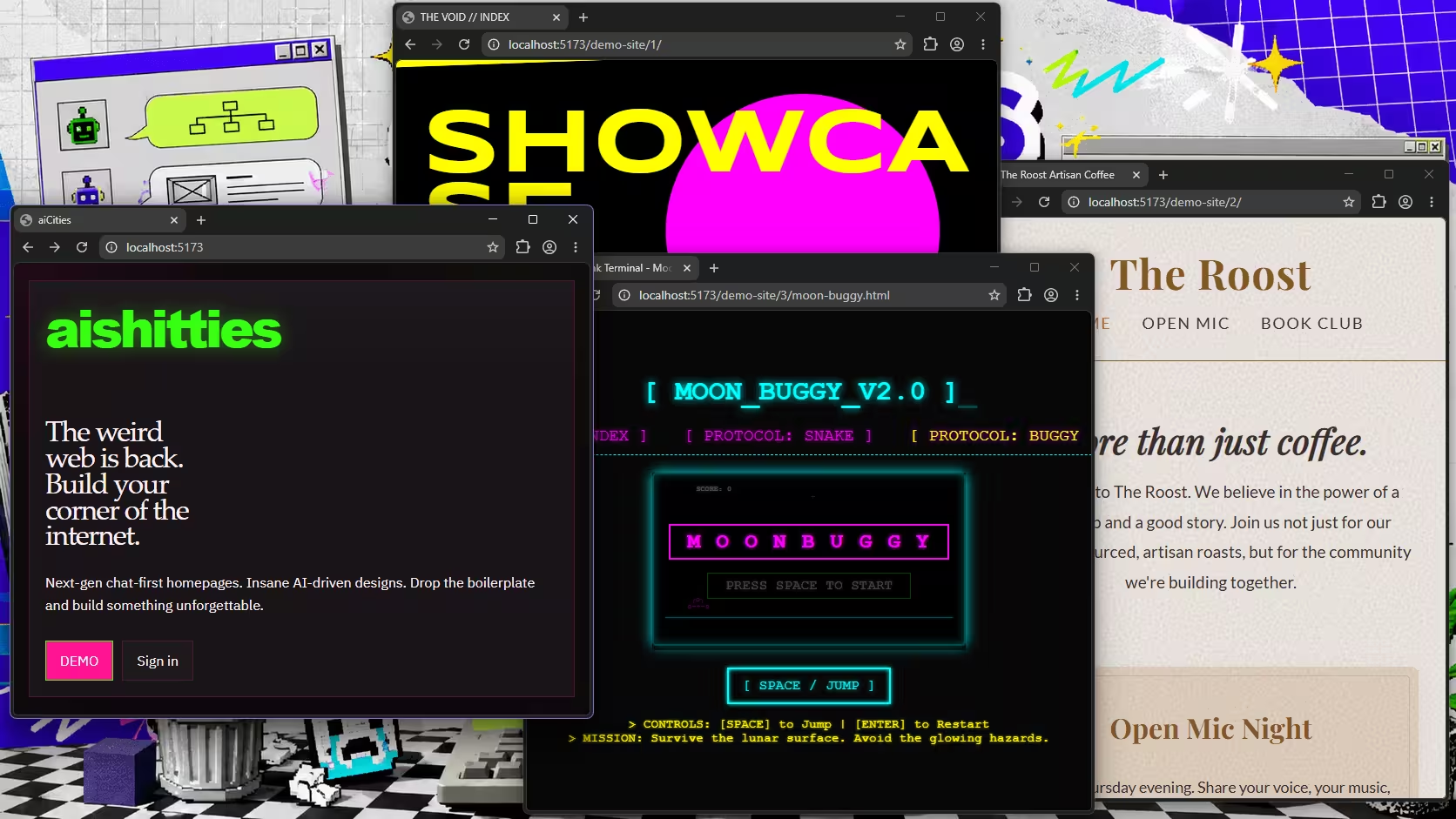
Geoshitties started with a simple, possibly questionable, question: what if Geocities existed today, but instead of uploading files, choosing backgrounds, and lovingly destroying readability with animated GIFs, you built your homepage by talking to a chatbot?
The goal was not to build a perfect no-code website platform. There are already plenty of those, many of them wearing very clean trainers. The goal was to explore whether AI could help someone create and manage a small personal or business website without needing to understand hosting, file management, deployments, or the traditional “where exactly has my CSS gone?” ceremony.
The prototype was also a test of something bigger: could multiple AI models work together on the same product build, across planning, frontend, backend, testing, and deployment tasks, without the whole thing gradually turning into a haunted cupboard of half-remembered decisions?
The answer was: yes, but only if you stand nearby holding the torch.
Useful for small business owners, sole traders, developers, and technical mentors interested in AI-assisted web development, no-code tools, and what it actually takes to turn agent output into a working product.
Status
Geoshitties was a weekend experiment and has now reached the dangerous stage where it is no longer just an idea, but not quite a product either. A respectable limbo. The kind with a dashboard.
The core prototype works. Users can sign in, create a site, talk through what they want, review a draft, approve changes before publishing, and roll back if things go sideways. There is also a demoable dashboard, which is always the moment a side project starts putting on a shirt and pretending it has somewhere to be.
The main working pieces are:
- Authentication and user flows
- Site provisioning
- Chat-driven planning
- Draft generation and review
- Approval before publish
- Rollback support
- A usable dashboard for managing generated sites
That is enough to prove the idea has legs. Slightly wobbly legs, but legs.
What is still missing is the less glamorous production work. GitHub export needs finishing. Custom domain and SSL provisioning still need proper implementation. Billing, external integrations, validation, logging, and observability all need the kind of attention that does not make a good screenshot but absolutely determines whether a product survives first contact with real users.
In other words: the prototype can show the story. The production version still needs to earn trust.
Problems Faced
The first big problem was manual intervention. A lot of it.
AI agents were useful, but they were not fire-and-forget. They needed steering, checking, correction, and occasionally a polite but firm reminder that the thing they had confidently changed was not, in fact, the thing that needed changing.
The second problem was context rot. Over time, important decisions slipped out of scope. Earlier assumptions were forgotten. A model would solve the task in front of it while quietly ignoring some constraint from three prompts ago. That is not because the models were useless. It is because software projects are full of boring continuity, and boring continuity is where many AI workflows still leak.
The third problem was model disagreement. Using multiple models on the same project sounded sensible in theory: let each model bring its strengths, compare outputs, and move faster.
In practice, different models often had different architectural instincts. One would introduce a pattern, another would “improve” it, a third would tidy up the improvement by accidentally undoing the original reason for the pattern existing. This is how you end up with progress that technically moves forward while spiritually walking in circles.
The most common issues were:
- Conflicting implementation choices
- Inconsistent naming and file structure
- Repeated re-solving of already-settled decisions
- Tests or validation being added after the fact, rather than guiding the work
- Agents optimising locally without understanding the wider product shape
None of this means AI cannot help with larger builds. It can. But without a clear project memory, firm constraints, and regular human review, it behaves less like a senior developer and more like a very fast freelancer who has lost the onboarding document.
Techniques That Helped
The most useful technique was not a clever prompt. It was documentation.
Not glamorous documentation. Not “enterprise knowledge base with three owners and no readers” documentation. Just practical, current, easy-to-find notes that gave each agent enough context to continue the work without reinventing the project every time.
A few things made a real difference.
First, the project had a dedicated handoff file. Each agent was instructed to update it frequently with what it had changed, what it had learned, what still needed doing, and any assumptions the next agent should know about. This became a lightweight project memory.
Second, an AGENTS.md file helped steer behaviour. It told agents where to look, which files mattered, how to update tracking documents, and how to leave the project in a usable state for the next session. This reduced the amount of prompt repetition and made the workflow less dependent on whoever happened to be driving at the time.
Third, project constraints were updated regularly. This was important because constraints are where real product decisions live. Which platform are we targeting? What must happen before publish? What should never be automated without approval? What is out of scope for the prototype?
Without those constraints, agents filled the gaps themselves. They are very good at filling gaps. Unfortunately, they sometimes fill them with confidence-shaped nonsense.
Fourth, specialist tooling helped. Skills and instructions for Cloudflare, frontend design, and Playwright testing gave the agents clearer rails to run on. The more specific the task environment became, the better the output tended to be.
The most helpful workflow looked something like this:
- Keep a clear product brief
- Maintain a current constraints document
- Use a handoff file between agent sessions
- Give each model a defined role
- Ask for smaller, reviewable changes
- Test flows with Playwright or similar tools
- Review before merging or publishing
- Treat AI output as a draft, not a decision
The biggest improvement came from separating responsibilities. Models that were stronger at frontend work were more useful on interface, layout, and interaction tasks. Models that were stronger at reasoning through backend architecture were better used for data flow, integration, validation, and system design.
That separation stopped the project becoming a group chat where everyone had commit access and no one remembered the password.
Lessons Learned
The main lesson is that AI can help build a surprisingly large amount of a web application, but only when the project gives it enough structure to work inside.
For a small prototype, you can get away with loose prompting and vibes. For a larger build, you need specifications, constraints, file conventions, acceptance criteria, and a shared understanding of what “done” means. Otherwise, the AI will keep producing plausible work that looks useful in isolation but becomes harder to trust as the system grows.
Upfront documentation matters more than it feels like it should. A short product spec, a technical outline, and a list of non-negotiable constraints will save hours later. They also help you catch when an agent is solving the wrong problem beautifully.
Using multiple AI models can work, but they need clear boundaries. Do not simply throw several models at the same codebase and hope wisdom emerges from the collision. Use one for frontend polish, another for backend reasoning, another for test coverage or review. Give each one a job. Make the handoff explicit.
The other lesson is that approval steps are not optional when AI is generating user-facing output. Geoshitties worked best when the chatbot could plan and draft, but the user still had to approve before anything went live. That pattern matters. Small business websites are personal, commercial, and public. They should not be updated by a machine having a confident little moment.
For small businesses and sole traders, the interesting part is not “AI can build a website”. The interesting part is that AI can reduce the blank-page problem, explain options, draft sensible first versions, and make technical workflows feel less hostile. But the surrounding system still needs care, review, and good defaults.
For developers, the lesson is similar. AI coding agents are powerful, but they need project management more than magic prompts. Treat them like fast collaborators with patchy memory. Give them structure, ask for evidence, review the work, and write down the decisions you do not want them to rediscover badly next Tuesday.
Geoshitties is still unfinished, which feels appropriate. It was built to explore unfinished things, slightly ridiculous tools, and what happens when automation meets real project mess. The useful bit is that the mess taught us something practical.
If you are building your own site, experimenting with AI tools, or trying to turn a half-formed product idea into something real, we can help you shape the plan, avoid the obvious traps, and make the next version less haunted.