Idea
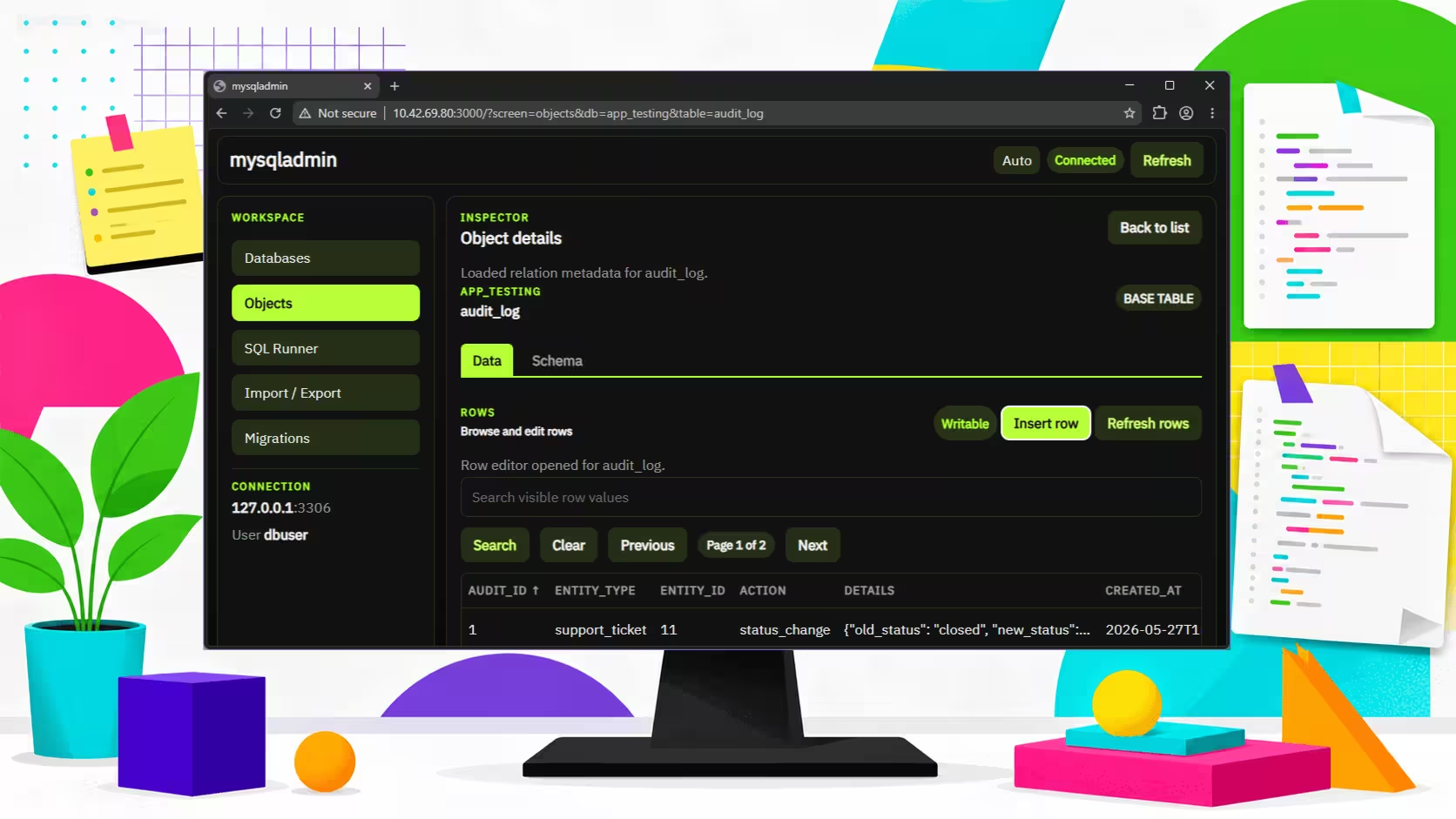
There is no shortage of MySQL admin tools, which is exactly why building another one feels slightly unreasonable. Still, while working through a legacy PHP upgrade, I wanted something local, quick to start, and limited to the job in front of me. I had no interest in installing phpMyAdmin, and even less interest in dragging Apache back into the room when php -S already covers the rest of the project nicely.
The brief was simple: a Node.js tool I could run on demand, use locally, and shut down when I was done. Nothing shared, nothing overbuilt, nothing pretending to be a full database platform. Just a clean way to inspect several databases, run SQL, and compare snapshots while planning schema changes.
There was also a side question hiding underneath it: how much of the interface could be handed to ChatGPT 5.4 through Codex before the result became more theatrical than useful? That turned out to be part experiment, part warning label.
Useful for developers maintaining older PHP systems who want a lightweight local database admin tool without the usual stack baggage.
Status
The tool now does exactly what I needed it to do, which is usually the nicest point in any internal project. It works locally, starts quickly, and stays focused on database admin instead of trying to become a dashboard with opinions.
At the moment it covers three practical jobs well:
- Browsing and editing data across multiple databases
- Running ad hoc SQL during investigation and cleanup
- Comparing database snapshots to help draft migration scripts for schema changes
That last bit has been especially handy. When you are adjusting an older database, the hard part is often writing the final migration. A snapshot comparison view helps reduce that guessing.
Problems Faced
The main problem was the interface, then the interface again, then the interface one more time for luck.
Letting the agent run with no design direction produced a UI that was technically usable but visually nonsense. It had all the familiar signs: oversized headings, explanatory copy where labels should have been, decorative boxes inside slightly larger decorative boxes, and enough padding to suggest the app was being charged rent by the pixel.
None of that stopped the core features from working, but it made the tool slower to use and harder to trust. That matters a lot. If a database tool looks confused, you start reading every button like it might be lying to you.
There was also a recurring habit of adding content that belonged in the chat, not in the product. The model kept trying to explain its choices inside the UI itself, which is charming for about four seconds and then becomes a maintenance problem wearing rounded corners.
Techniques That Helped
Clear constraints helped more than clever prompts.
The fastest improvement came from being very direct about structure and styling. Instead of asking for a cleaner interface in broad terms, I used specific CSS targets, XPath selectors, and concrete style rules. That made it easier to remove noisy elements, tighten spacing, and stop the layout from wandering off into its own side project.
An evolving AGENTS.md file also helped keep the work stable. Early on, changes would regress because the model kept reintroducing interface copy, visual clutter, or patterns that had already been removed. Writing down what the app was, what it was not, and how the interface should behave gave the next prompt a fighting chance of continuing the work instead of restarting the argument.
Two habits were especially useful:
- Treating UI constraints as functional requirements, not decoration
- Writing down repeated corrections so the model did not need to relearn them every session
If you are building a one-user internal tool with AI help, this still matters. Small tools do not need elaborate design systems, but they do need boundaries. Otherwise the assistant starts improvising, and improvisation is rarely how you want your tool to behave.
Lessons Learned
Being explicit is not overkill. It is the job.
If you can provide a rough wireframe, do it. If you can name spacing rules, text limits, or what should never appear in the interface, do that too. Even if the tool is only for you, those details save time because they reduce cleanup later. A working feature with a messy interface still costs attention every time you use it.
The other useful lesson was that AI can speed up internal tooling best when the scope is narrow and the standards are plain. Asking it to invent the product and the presentation at the same time is where things get slippery. Asking it to build a defined tool with visible guardrails is much more reliable.
That probably sounds obvious, which is annoying, because many useful lessons do. Still, it is cheaper to be blunt up front than to spend an afternoon deleting accidental design ambition from a local database viewer.
If you are piecing together internal tools, modernising an older app, or trying to make AI help without letting it redecorate the place, holeaf.uk can help.