Idea
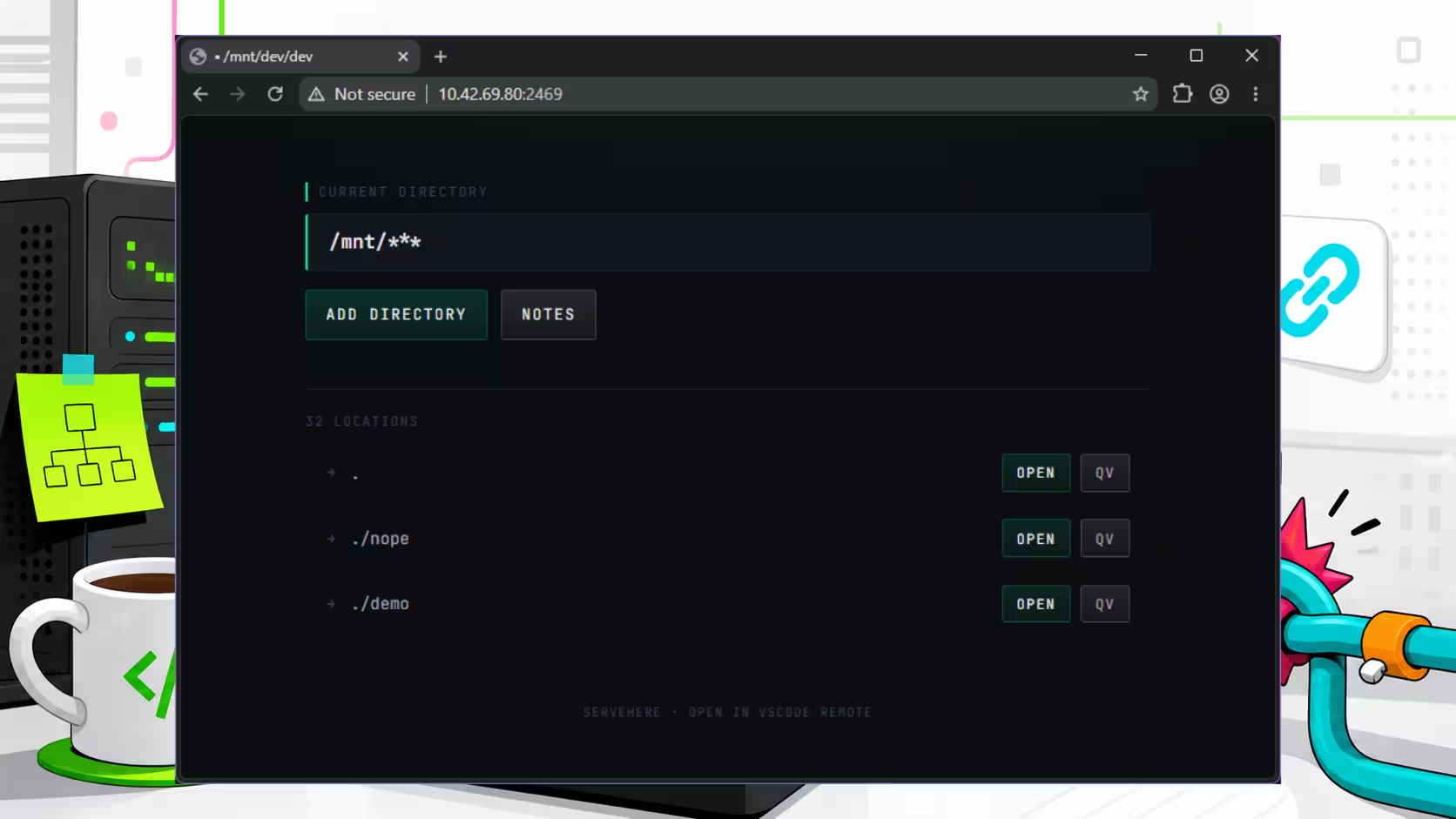
Small internal tools have a way of sounding sensible before real habits get involved. This one started as a homepage for one of our dev VMs: open it in a browser, see the folders in that machine's projects directory, and click straight into a project in VSCode.
Part of the appeal was speed, and part of it was curiosity. We already spend a lot of time working with AI on VMs across the network, so building a lightweight dashboard felt like a tidy way to give each machine a bit more shape. Folder list, quick links, less typing, job done. At least that was the sales pitch.
The actual goal was simple enough: turn a plain server into something a little more browsable without building a whole control panel nobody asked for. Useful for small teams or solo developers who want quicker access to remote project folders without setting up a heavy internal dashboard.
Status
It works, which is the good news. The more honest news is that we do not really use it much.
Most of the time, we already have a terminal open, SSH'd into the machine we care about. A short alias to list folders is faster than opening a browser tab and pretending we are definitely becoming more organised. The VSCode deep links were the most interesting part, though, and the build was still useful as a quick experiment in shaping a simple Codex-backed internal tool.
Problems Faced
The main issue was not getting the homepage working (that part was fairly straightforward). The friction showed up in the handoff from browser to editor.
Opening a remote folder in VSCode via deep link sounds neat, and it is neat right up until you need to open several projects in parallel. VSCode resuses the last open window when launched via one of our shortcuts, which means one click can replace the thing you were already looking at. That is less "helpful shortcut" and more "small act of sabotage".
That behaviour matters because the tool only saves time if it matches the way people already work. Our setup often involves checking multiple repositories at once, comparing files between projects, or keeping one workspace open while another is half-broken in the background. A launch flow that assumes a single clean editor window does not fit that pattern very well.
Techniques That Helped
The most useful step happened before any code was written. A bit of manual searching helped pin down how VSCode remote links behave, which meant the prompt for implementation could be more specific and less hopeful.
That sounds obvious, but it is an easy step to skip when AI tools make it tempting to start typing requests at full speed. A short burst of research gave us the right constraints early: where the project folders lived, what link format VSCode expected, and what browser-to-editor behaviour we could actually rely on.
For small internal builds, that is often the difference between a quick useful prototype and a quick misleading prototype. One saves time; the other creates a very polished new chore.
Lessons Learned
The build did what we asked it to do, but it also showed that "works" and "fits the workflow" are different tests.
VSCode reusing the last window made the homepage less useful than the simpler tools we already had. If opening a project from the browser still requires you to remember editor state, open a fresh window first, and avoid trampling the workspace you were already using... the shortcut has started charging rent!
Still, the project was worth doing because it clarified the gap between a tidy idea and a habit people will actually keep. Internal tools do not need to be clever. They need to remove a step without quietly adding two more.
If you are figuring out your own dev workflow, internal tools, or AI-assisted build process, we are always happy to help you make the useful bits stick.