Idea
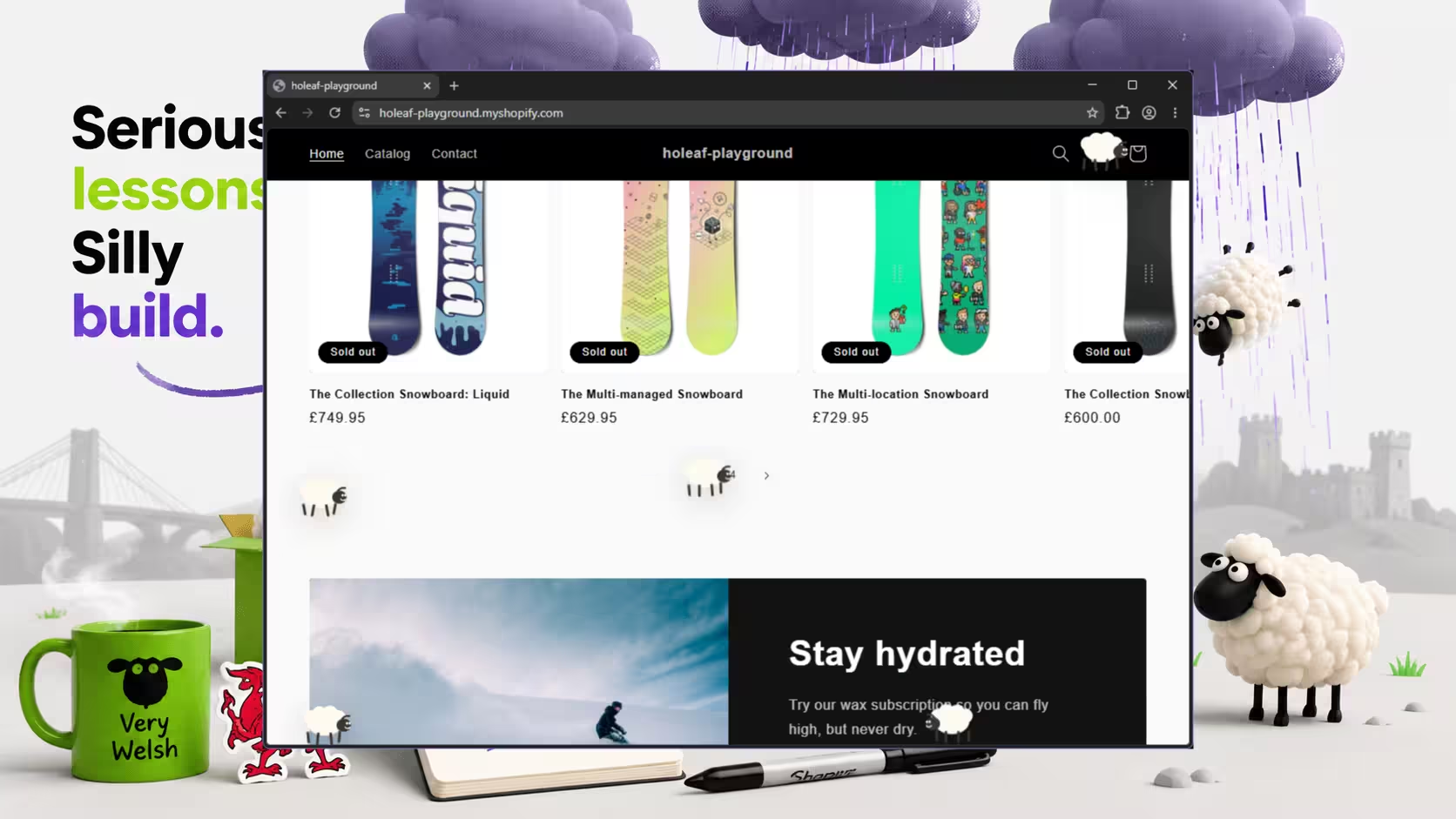
This week’s project was Sheep Rain for Shopify.
When Shopify updated its app and dev store creation experience at the start of 2026, we wanted a quick way to test the new workflow properly. The obvious answer was to build a custom app on a dev store and follow the process from start to finish, rather than just skimming the docs and declaring ourselves informed. History suggests that is how avoidable pain gets scheduled for later.
The concept itself was deliberately unserious. Back in the old internet, every website seemed contractually obliged to add falling snow at Christmas. Being proudly Welsh, we had options: leeks, daffodils, rarebit. Instead, we leaned in and chose sheep.
Underneath the joke, though, this was a practical little build. We wanted to explore Shopify’s updated developer experience, test how app blocks behave on a storefront, and see how quickly we could get a custom app up and running with a simple admin interface.
Useful for: Shopify developers, small agencies, and curious business owners who want a clearer picture of how custom apps, app blocks, and lightweight storefront features actually come together.
Status
The app is built, working, and deployed to a dev store that you can view right now: holeaf-playground.myshopify.com Storefront password: holeafuk
Most of the application code is in place. The only major piece missing is distribution through the Shopify App Store, which is neither planned nor wanted for this project. This was always meant to be a focused experiment rather than a product with an identity crisis.
The app was built using Shopify’s recommended development stack, with custom code deployed to Cloudflare. It includes an embedded admin interface inside the Shopify admin, and uses app blocks to inject the sheep rain effect into the storefront.
From that admin interface, you can:
- turn Sheep Rain on or off
- control the intensity of the effect
- test storefront behaviour without directly editing theme code
The sheep effect itself was rendered with SVGs. We did consider using canvas, but rejected it in favour of quicker, easier debugging in Chrome Inspector. Sometimes the best technical decision is the one that lets you see what on earth is going wrong without turning debugging into a side project.
Problems Faced
- The agent spent far too long rummaging through documentation.
Our agent made repeated calls into Shopify’s documentation, which quickly filled the context window with information that was technically relevant but not especially useful. There is a difference between “well researched” and “trapped in a reference library”.
- Cloudflare Wrangler authentication over SSH was a pain.
Logging into the Wrangler CLI on a remote machine over SSH turned out to be much more awkward than expected. Anything that assumes a smooth local browser-based flow becomes noticeably less charming once a remote terminal gets involved.
- Animating sheep is harder than it sounds.
Making something fall across a screen is easy enough. Making it readable, lightweight, vaguely sheep-like, and amusing rather than annoying takes more effort than you first expect.
Techniques That Helped
- Step out of agent loops early.
When an agent starts circling the same docs, repeating the same actions, or swelling the context window with low-value detail, it is usually better to stop and reset than to let it keep enthusiastically digging. We’re using VS Code with GitHub Copilot, and its planning mode has been especially useful here.
- Use planning mode for research, not just implementation planning.
One of the most useful patterns in this project was using a planning agent to understand the shape of the problem before writing code. That worked well for exploring Shopify’s app structure, comparing likely approaches, and spotting where deployment or authentication might get awkward before we were already halfway into a bad decision.
- Read authentication options before they become your personality.
When dealing with the Cloudflare Wrangler CLI, it helped to slow down and actually use the available options properly. Reading the documentation with the specific goal of understanding the auth flow saved more time than repeatedly trying the same command and hoping it developed new ideas.
- Choose the implementation that makes debugging easier.
SVGs won over canvas here because they were faster to inspect and easier to reason about in the browser. That made iteration quicker, which matters a lot in small builds where the feedback loop is half the job.
Lessons Learned
Planning agents are useful for much more than one-shot plans.
Used properly, they are excellent for research, technical discovery, and getting your bearings before touching code. That is especially valuable when you are working across unfamiliar platforms, new workflows, or tools with large documentation surfaces and several possible ways to do roughly the same thing.
This project also reinforced a simpler lesson: when you are testing a new platform workflow, build something small enough to stay fun but real enough to teach you something. Sheep Rain was silly, but the exercise was genuinely useful. We came away with a better feel for Shopify’s updated development experience, a clearer sense of where AI actually helped, and a few reminders about where human judgement still does the heavy lifting.
And for small teams, sole traders, or developers figuring this stuff out as they go, that is usually the part that matters most: not whether the build was perfect, but whether it left you with a clearer, more repeatable way to approach the next one.
If you’re exploring Shopify app development and want a sounding board before you disappear into documentation and agent loops, that’s exactly the kind of work we like helping with.