Idea
Some projects start with a sensible brief. This one started with a question that should probably have been left alone: what if a shutdown timer felt more like a dare?
The idea was simple enough. Pick a timeout, press go, and turn whatever you were meant to be doing into a race against your own computer. Finish the task before the machine powers off, or accept defeat with the kind of dignity available to someone who built this on purpose.
There was no grand productivity theory behind it. The point was to follow the idea, let AI make a few stack choices, and see what happened when instinct took the afternoon off. That made it a useful little test of what "just build it" looks like when you do, in fact, just build it.
Useful for developers, tinkerers, and small business owners who want a blunt example of where fast AI-assisted building is fun, and where it starts charging interest.
Status
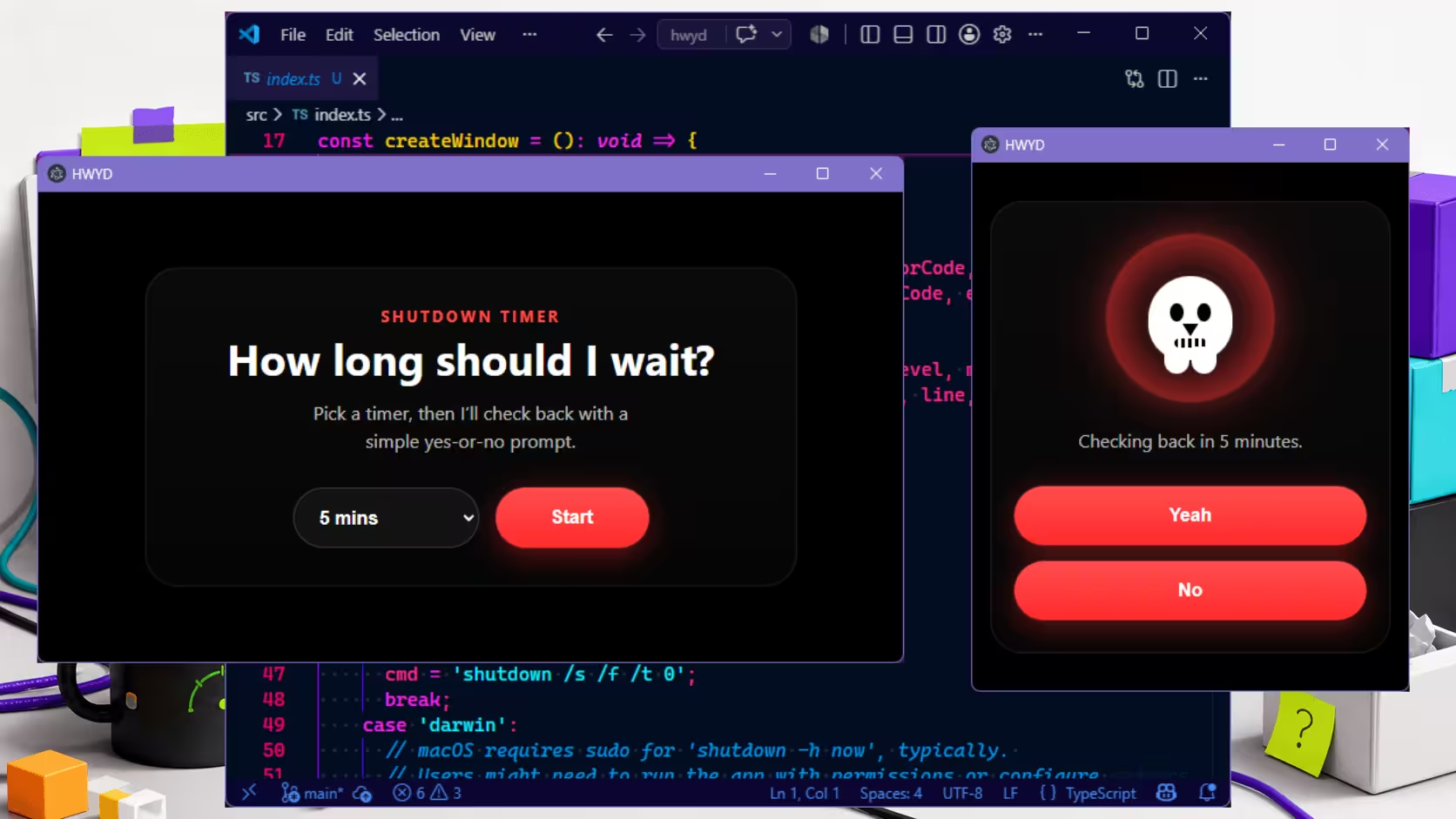
The app works on Windows and Linux. You open it, choose a timeout, and start the countdown. After that, the interface drops most of the decoration and leaves you with the bit that matters: a title, a shutdown button, and a way out if you have suddenly remembered self-preservation.
The final state is intentionally stripped back. The main prompt is "Ya dead?" with two choices underneath: "Yeah" to shut down immediately, or "No" to cancel the timer and go back to the starting screen. It is dramatic for a timer, which felt about right.
Technically, it does the job. Practically, it ships as a much larger package than the idea deserves. That does not stop it from working, but it does move it firmly into the category of "interesting experiment" rather than "thing we would recommend people install without a raised eyebrow".
Problems Faced
The longest part was packaging. Getting dependencies lined up, making sure the shutdown command behaved properly across platforms, and dealing with the permissions involved took more time than the app logic itself.
That was manageable. The bigger issue was the stack choice. Electron made cross-platform support easy enough, but it also brought the usual trade: a chunky install size, higher memory use, and a lot of framework around a very small idea. Using a full desktop web runtime for a shutdown timer is a bit like hiring a stage crew to switch off a lamp.
This is where experience matters more than speed. AI can get you to a working result quickly, but it will often choose the path with the broadest support and the least resistance in its training history, not the one that best fits the shape of the project.
Techniques That Helped
Truthfully, this was light on method and heavy on momentum. The app was built by following the idea through rather than stopping to design the "right" version first.
Even so, a few things were useful:
- Keeping the feature set tiny made it easier to notice when the tooling had become larger than the product.
- Testing the main flow early exposed the fact that the core interaction was clear long before packaging was.
- Letting AI generate a first pass was helpful, but only as a starting point. The useful part was not the suggestion itself so much as seeing what needed correcting afterward.
That last bit is the part people often skip. AI is very good at producing a plausible first draft. It is much less reliable at choosing a proportionate stack for a small desktop tool unless someone is steering.
Lessons Learned
Twenty years ago, this would probably have become a Windows Forms app and called it a day. In 2026, for a small cross-platform desktop tool, a better modern direction would be something like WinUI with Uno if cross-platform support was genuinely required, or a lighter native-first route if it was not.
The more useful lesson was about AI-assisted building rather than shutdown timers. You can get surprisingly far on vibes, especially for throwaway experiments, prototypes, or things built mostly to answer a question. What you do not get for free is judgment. Stack choice, package size, maintainability, and long-term fit still need a human who knows what "good enough" means for the job.
Each AI system also has its own habits. Some lean toward familiar JavaScript tooling. Some default to whatever has the widest examples online. If you already know the trade-offs, you can steer those suggestions into something sensible. If you do not, you can still get a working app, but you may also end up with a very expensive way to schedule a shutdown.
If your own project is stuck between "this works" and "this makes sense", we can help you sort the difference.